1
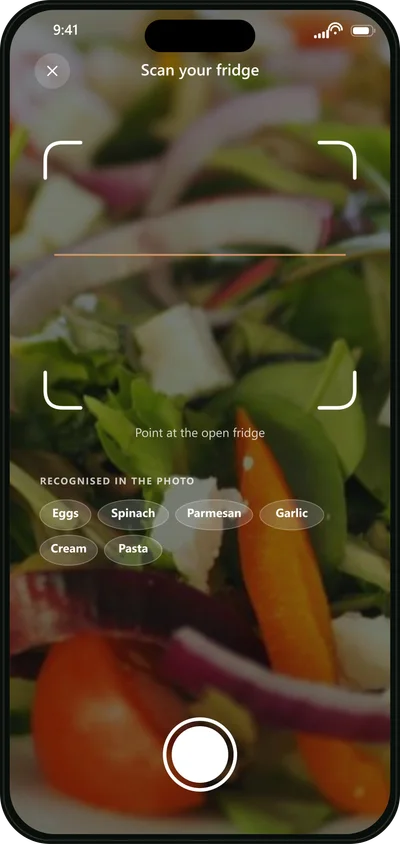
Snap
Point the camera at an open fridge or a shelf. The app recognises what is there, and you can correct the list.
Photograph your fridge. CookFusion turns what you already have into dinner and quietly removes anything someone at your table can’t eat.
Free on iPhone and iPad. 13,501 recipes, no ads, no subscription.
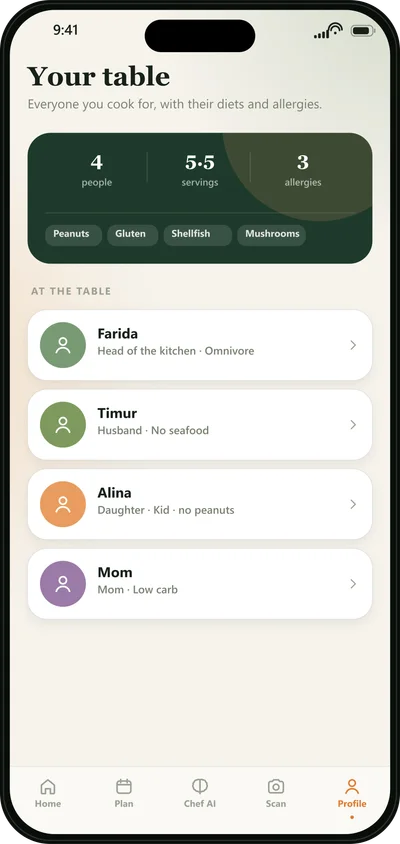
Most recipe apps cook for one person. CookFusion cooks for the whole table: add everyone once, and every recipe is checked against every plate before it reaches you.
Point the camera at an open fridge or a shelf. The app recognises what is there, and you can correct the list.
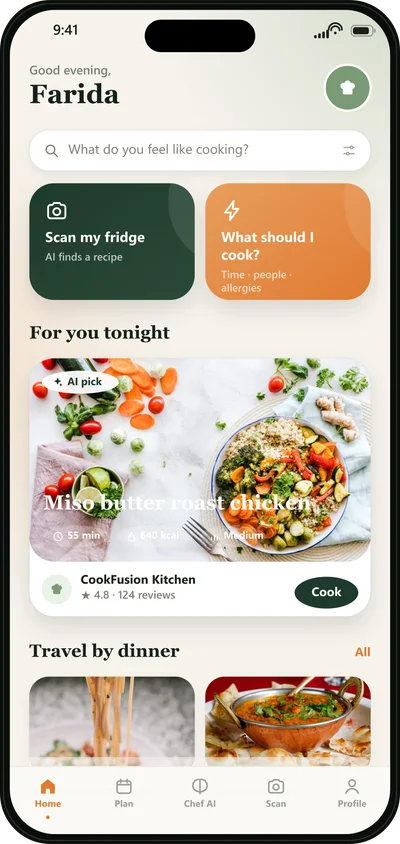
See only dishes that suit everyone and can be made from what you have. Ingredients are shown before you start.
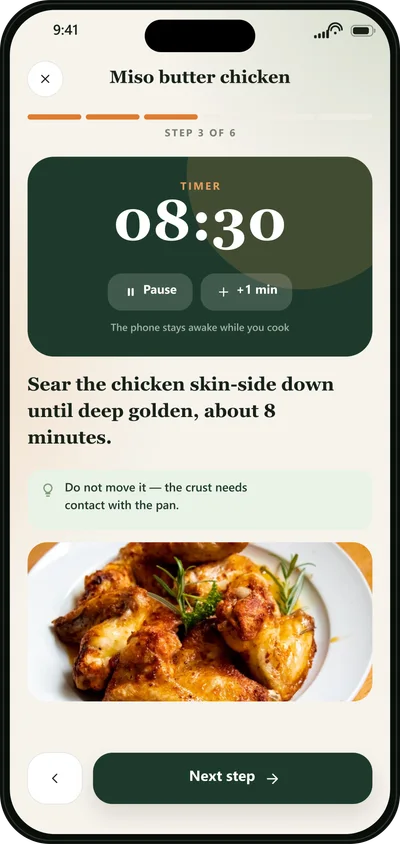
Large, clear steps with timers. The screen stays on, and anything missing is already on your list.
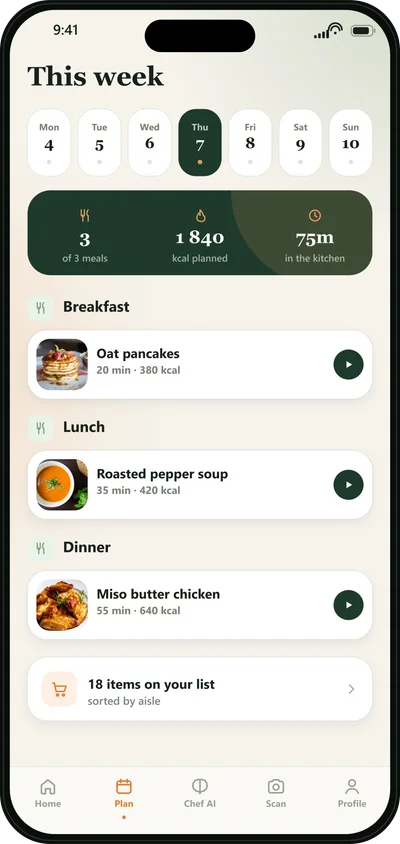
Planning, shopping and cooking live in one place, so dinner stops being a daily decision.
Breakfast, lunch and dinner for 14 days, built around your table and synced across your devices.
Substitutions, techniques, what to do with leftover rice. Ask in plain words, get an answer in seconds.
Scan a packaged product and get an honest A to E score with the reasons: sugar, additives and the rest.
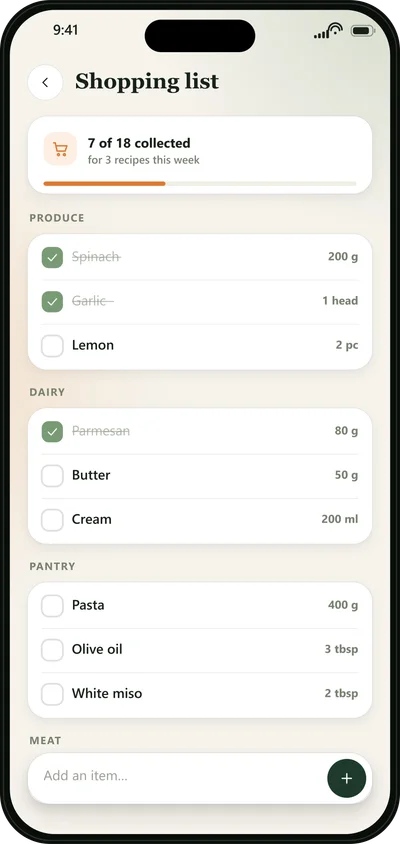
Missing ingredients go straight to a list sorted by aisle and scaled to your portions.
Large steps, built-in timers and a screen that never sleeps.
Anyone can become an author, publish under their own name and get a public page to share.
We built CookFusion the way we would want an app to treat our own family’s data.
Didn’t find yours? Write to us, we reply within a day.
Yes. Every feature on this page works without paying: the fridge scanner, the AI chef, the planner and the shopping list. There is no subscription, no paywall and no advertising in the app.
No. The photo is one way in. You can also search 13,501 recipes, browse by cuisine, answer three questions and let the app pick, or ask the AI chef in plain words.
You add each person at your table with their own allergies, diet and dislikes. Anything that clashes is removed before you see it, not flagged afterwards. Portions scale to the number of people eating.
They are sent for ingredient recognition and nothing else. Not used for advertising, not sold, not shared with third parties for their own purposes. You can delete your account and everything in it from inside the app.
iPhone and iPad running iOS 15.1 or later. An Android version is not available yet.
Yes. Anyone can become an author, publish recipes under their own name and get a public page to share.
In the app open Settings, then Account, then Change Password, and we will email you a secure link. If you can’t sign in, tap “Forgot password?” on the login screen and you will get a 6-digit code by email.
In the app open Settings, then Account, then Delete Account. Your account and all associated data are removed permanently. You can also email us and we will delete it for you.
Make sure you have the latest version and an internet connection. If the problem persists, email us with your device model and what happened. We usually reply within 24 hours.
Download CookFusion free, add your family once and let the app take the daily question off your hands.